

In today’s digital world, images are everywhere. Screenshots, scanned documents, social media graphics, and digital notes are often saved as PNG files. But what if you need the written content inside those images in editable form? That is where a PNG to Text converter becomes useful.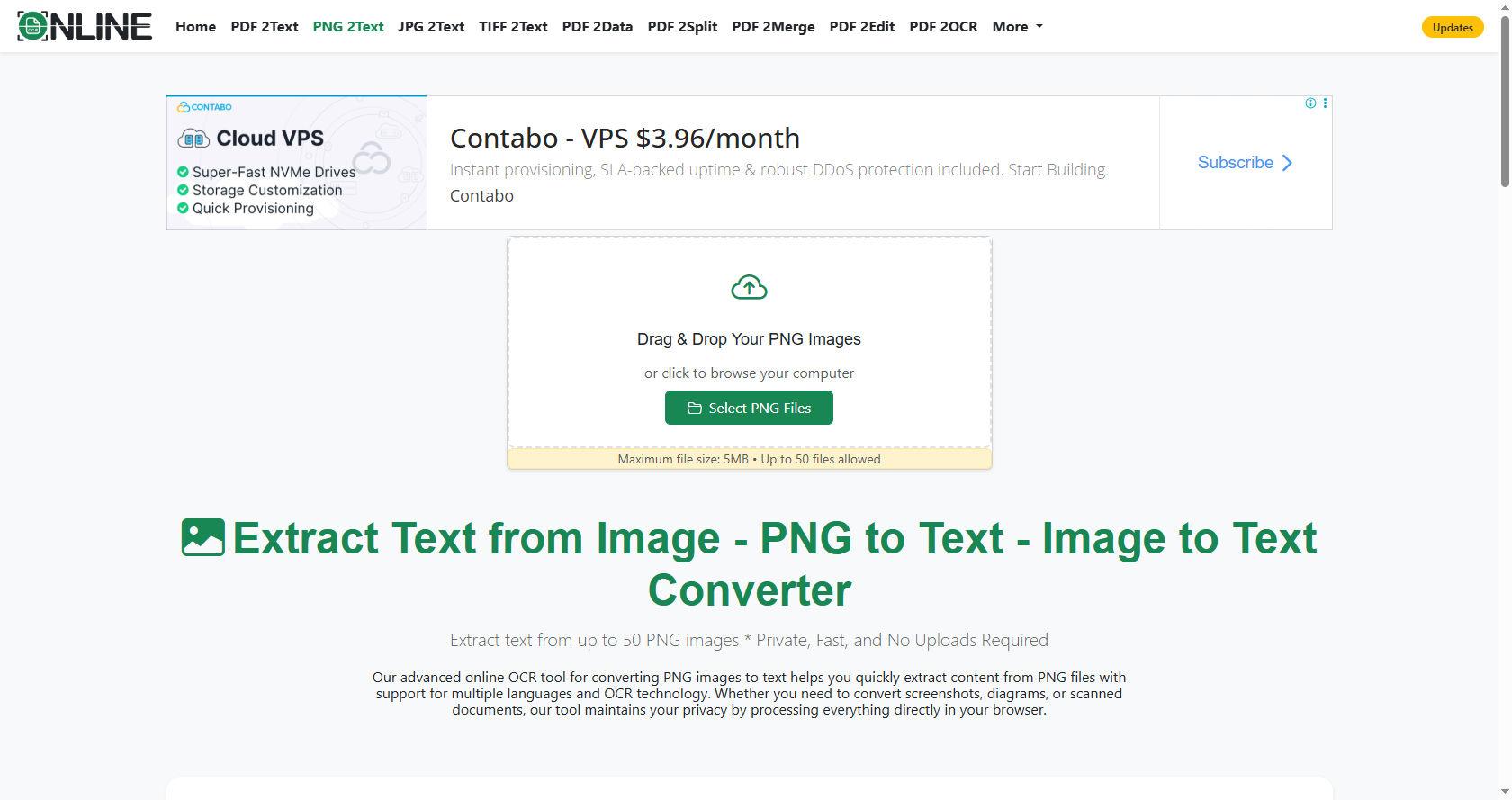
A PNG to Text tool is designed to read the words inside an image and turn them into selectable and editable text. Understanding how PNG to Text technology works can help you use it more effectively for school, work, or personal projects.
The PNG to Text process may look simple from the outside, but behind the scenes, it involves advanced image processing and smart recognition systems.
Modern PNG to Text tools rely on Optical Character Recognition, also known as OCR, to detect and convert characters from images into digital text. PNG to Text software has improved greatly in recent years, making it faster, more accurate, and accessible to everyone.
This comprehensive guide explains how the conversion works step by step. You will learn about the technology behind it, the stages involved, the benefits, challenges, and practical applications. By the end, you will clearly understand how a PNG to Text converter extracts text from images.
Understanding the Basics of PNG Files
Before learning about the conversion process, it is important to understand what a PNG file is. PNG stands for Portable Network Graphics. It is a popular image format used for high-quality digital images.
PNG files store pictures as pixels. Each pixel contains color information. Unlike text files, PNG images do not store letters or words as characters. They only store visual data. That is why you cannot simply copy and paste text from an image.
A PNG to Text conversion works by analyzing the visual patterns of letters inside the image. The PNG to Text system does not read the image like a human does. Instead, it examines shapes, lines, and contrasts to identify characters.
The Core Technology Behind PNG to Text
The main technology that powers PNG to Text conversion is Optical Character Recognition (OCR). OCR allows computers to recognize printed or handwritten text inside images.
When you upload an image to a PNG to Text converter, the OCR engine begins scanning the image. The PNG to Text workflow involves several stages that transform raw pixels into readable text.
Let’s break down these stages in detail.
Image Preprocessing
The first step in any PNG to Text converter is image preprocessing. This step prepares the image for accurate recognition.
During preprocessing, the PNG to Text workflow enhances the image. It may adjust brightness, improve contrast, remove noise, and sharpen edges. These improvements make letters clearer for the OCR engine.
If the image is tilted, the system corrects its alignment. If there are shadows or background patterns, it tries to reduce them. A well-prepared image significantly increases the accuracy of PNG to Text results.
Text Detection
After preprocessing, the system must find where the text is located. Not all parts of an image contain words. Some areas may include logos, decorations, or blank spaces.
PNG to Text tools scan the image to detect regions that contain text. The PNG to Text engines look for patterns that resemble lines of characters. They identify blocks, paragraphs, and individual words.
Modern PNG to Text platforms use artificial intelligence to separate text from background elements. This makes the process more accurate, especially for complex images.
Character Segmentation
Once text areas are detected, the next step is character segmentation. This means breaking down the text into smaller parts.
The PNG to Text algorithm separates lines into words and words into individual characters. Each character is isolated so that the system can analyze it more closely.
This stage is important because accurate separation ensures that letters are recognized correctly. A strong PNG to Text solution carefully handles spacing and punctuation during segmentation.
Character Recognition
Character recognition is the heart of the process. At this stage, the PNG to Text software compares each segmented character to stored patterns in its database.
Older systems used simple pattern matching. They compared shapes to predefined templates. However, modern PNG to Text models use machine learning and deep learning techniques.
These systems are trained on thousands or even millions of character samples. This training allows PNG to Text converters to recognize different fonts, sizes, and even some handwritten text.
Machine Learning and Artificial Intelligence
Artificial intelligence plays a major role in improving accuracy. PNG to Text software uses neural networks that learn from large datasets.
The more data these PNG to Text models analyze, the better they become at identifying letters and numbers. AI helps the system understand slight variations in shape.
For example, the letter “O” and the number “0” can look very similar. Advanced PNG to Text converters use context and language rules to decide which one is correct.
Post-Processing and Language Correction
After recognizing characters, the system combines them into words and sentences. But the process does not stop there.
A PNG to Text converter uses language processing tools to correct possible errors. The PNG to Text output is checked against dictionaries and grammar rules.
If a word seems incorrect, the system suggests corrections based on context. This final stage greatly improves the overall accuracy of the PNG to Text process.
Factors That Affect Accuracy
Several factors influence the success of a PNG to Text conversion.
Image quality is the most important factor. Blurry or low-resolution images make recognition difficult. Clear images produce better PNG to Text results.
Font style also matters. Decorative or unusual fonts can confuse PNG to Text tools. Simple fonts are easier to recognize.
Lighting and background contrast also play a role. A high-contrast image improves PNG to Text applications, while busy backgrounds may reduce accuracy.
Benefits of Using PNG to Text Converters
There are many advantages to using PNG to Text tools.
First, they save time. Instead of typing everything manually, PNG to Text conversion allows you to extract large amounts of text within seconds.
Second, they improve productivity. Students can convert scanned notes, and professionals can digitize documents quickly using PNG to Text services.
Third, they enhance accessibility. People with visual impairments can use screen readers on text extracted through PNG to Text technology.
Step-by-Step Guide to Using a PNG to Text Tool
Understanding how to use a PNG to Text tool is simple. Here is a basic guide.
Step 1: Upload the PNG File
Open your chosen PNG to Text converter and upload your image. Most tools support drag-and-drop features.
Step 2: Image Processing
The PNG to Text system automatically enhances the image. You usually do not need to adjust settings manually.
Step 3: Text Recognition
Next, the PNG to Text engine scans and identifies characters. This process usually takes only a few seconds.
Step 4: Review the Extracted Text
After processing, the PNG to Text software displays the recognized text. Review it carefully to check for small errors.
Step 5: Download or Copy the Text
Finally, save or copy the results. The PNG to Text process allows you to export text into formats like TXT, DOCX, or PDF.
Common Challenges in PNG to Text Conversion
Although PNG to Text tools are powerful, they are not perfect.
Handwritten text can be difficult to recognize. While PNG to Text applications have improved in this area, accuracy may still vary.
Images with low resolution or heavy compression can also cause problems. PNG to Text services may struggle with distorted letters.
Complex layouts, such as magazines or multi-column documents, can challenge PNG to Text platforms as well.
Security and Privacy Considerations
When using online tools, privacy is important. Some PNG to Text services store uploaded images temporarily.
Always check the privacy policy before uploading sensitive documents. Secure PNG to Text platforms use encryption to protect user data.
For highly confidential information, offline PNG to Text software may be a safer option.
Real-World Applications of PNG to Text
PNG to Text technology is widely used in many fields.
In education, students convert scanned textbooks and notes into editable documents using PNG to Text technology.
In business, companies digitize invoices, receipts, and contracts with PNG to Text solutions.
In healthcare, medical staff convert scanned reports into digital records using PNG to Text systems.
These examples show how important PNG to Text tools are in everyday life.
The Future of PNG to Text Technology
Technology continues to improve. Future PNG to Text tools will likely become even more accurate.
Developers are working on better AI systems to handle complex handwriting and multilingual text. PNG to Text development is focusing on real-time recognition and mobile integration.
Soon, PNG to Text tools may instantly convert text from live camera feeds with near-perfect accuracy.
Tips to Improve PNG to Text Accuracy
You can take simple steps to get better results.
Use high-resolution images for PNG to Text conversion.
Ensure good lighting and strong contrast when creating images for a PNG to Text engine.
Crop unnecessary background areas before uploading to reduce confusion.
These small actions can significantly improve your results.
PNG to Text vs Manual Typing
Manual typing takes time and effort. A PNG to Text method can complete the same task in seconds.
While manual typing may still be more accurate for very complex documents, PNG to Text software is ideal for large volumes of text.
The efficiency of PNG to Text makes it a valuable tool for students and professionals alike.
Cloud-Based vs Offline PNG to Text Tools
There are two main types of tools available.
Cloud-based PNG to Text software works online. It is easy to use and does not require installation.
Offline tools run on your computer. They provide better control over privacy and data security.
Choosing between them depends on your needs.
Conclusion
A PNG to Text converter is a powerful digital tool that transforms static images into editable text. It works through a combination of image preprocessing, text detection, character segmentation, character recognition, and post-processing. Each stage plays an important role in ensuring accuracy.
Thanks to OCR, machine learning, and artificial intelligence, PNG to Text technology has become more reliable than ever before. It can handle different fonts, layouts, and even some handwriting styles.
While image quality and formatting can affect results, simple preparation steps can greatly improve accuracy. Whether you are a student converting notes, a business digitizing documents, or a professional organizing records, PNG to Text tools can save time and increase efficiency.
As technology continues to advance, PNG to Text technology will become even smarter and more precise. Understanding how it works helps you use it effectively and confidently in your daily tasks.
